Xak -The Tower of Gazzel-
PC-8801
Xak -The Tower of Gazzel-
Xak -The Tower of Gazzel-
- Publisher
- Micro Cabin
- Genre
- Adventure
- Released
- Jun 14, 1991
- Price
- ¥7,800
- Media
- FD 5.25" 2D(6 disks)
LOADING EMULATOR...
Description
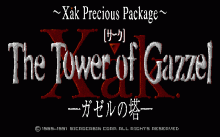
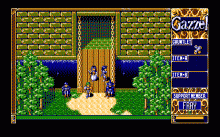
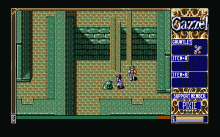
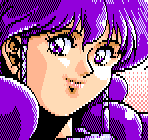
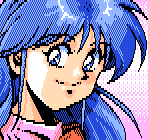
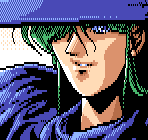
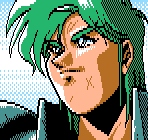
Released by Micro Cabin for the PC-8801 in 1991, this title is an action-adventure game that carries on the legacy of the popular series following the hero Latok Kart. Set in Rejia Village one year after the fierce battles of the previous game, the story follows Latok and his familiar companion Fray as they investigate rumors of an impostor and venture into the demon-infested "Tower of Gazel." The game retains the series' signature "VR System" to create a sense of depth, utilizing six floppy disks to deliver an impressively immersive world that captivated players at the time. With stunning character designs by Michitaka Kikuchi and innovative systems developed by Hideyuki Yanagishima and his team, this game remains a precious artifact reflecting the passion of developers during the golden age of Japanese PC gaming.
Story
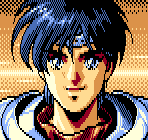
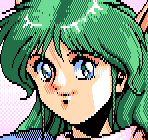
A year after his intense battle against Gospel, the hero Latok Kart travels to the peaceful village of Rejia upon hearing mysterious rumors about the "Tower of Gazel." There, his companion Fray reveals that someone has been impersonating him to commit vile acts. Determined to uncover the truth behind these rumors, the duo begins an investigation in the village, eventually concluding that something sinister is lurking in the shadows. They set off to find a pixie currently scouting the Tower of Gazel to get to the bottom of the mystery.
INFO
- Platform
- PC-8801
- Year
- 1991
- Publisher
- Micro Cabin Active
- Genre
- Adventure
- English Title
- Xak -The Tower of Gazzel-
- Released
- Jun 14, 1991
- Price
- ¥7,800
- Media
- FD 5.25" 2D(6 disks)
Controls
- [ 2 ] [ 4 ] [ 6 ] [ 8 ]
- Move character
- [ Z ]
- Jump
- [ X ]
- Attack (Sword & Shot)
- [ KANA ]
- Shot ON/OFF
- [ RET ]
- Use Item A (Item B is used automatically when necessary)
- [ SPACE ]
- Confirm menu selection
- [ F1 ]
- Open load screen
- [ F2 ]
- Open menu screen
- [ F3 ]
- Open item screen
- [ F4 ]
- Open system screen
- [ CAPS ]
- Toggle transparency display ON/OFF
Tags
TIPS
No tips available
Screenshots
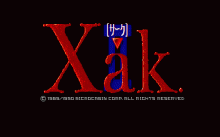
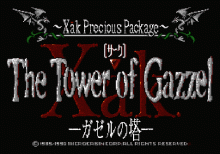
CONTACT
About
サーク -ガゼルの塔-
Thank you!
Your message has been received.